
Purpose: used when sensor has been offline for more than a few days and is having difficulty reconnecting with the gateway or if the sensor needs to be replaced.
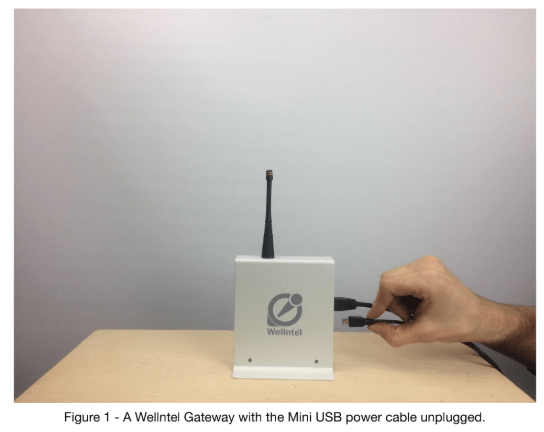
1) Locate your Wellntel gateway. It will be connected to your home internet router. Unplug the Mini USB power cable from the gateway. Leave unplugged for 10 seconds. Make sure to pull USB straight out to protect the device from damage. You can also unplug at the wall outlet (Figure 1)
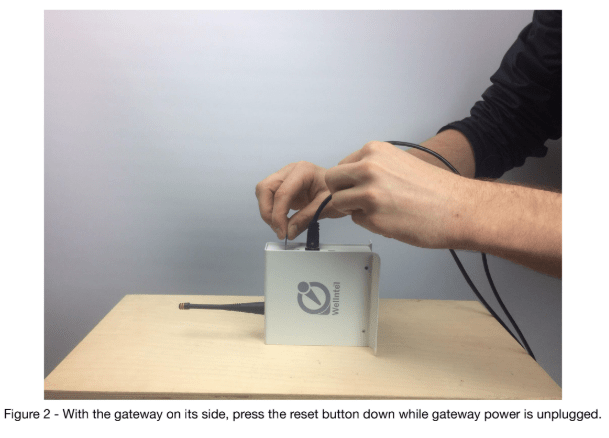
2) Locate the “reset” button on the back of the gateway. It is a small hole located above the uppermost LED. You will need to press this button by gently inserting a small paperclip into the hole.
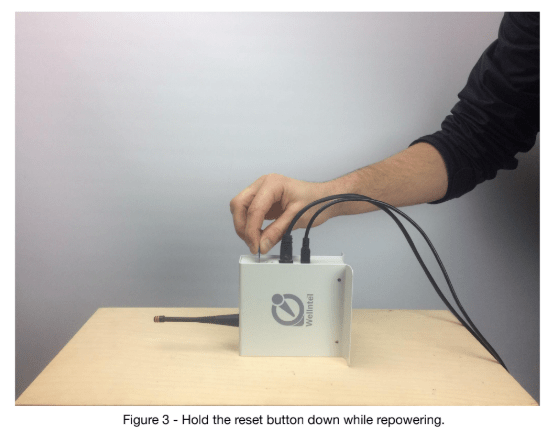
Set the gateway on it’s side with the Mini USB power cable still unplugged. Press the reset button using the paperclip until you hear a slight click (Figure 2). Gently hold this button in place and repower the gateway by plugging the mini USB back into the gateway (Figure 3).
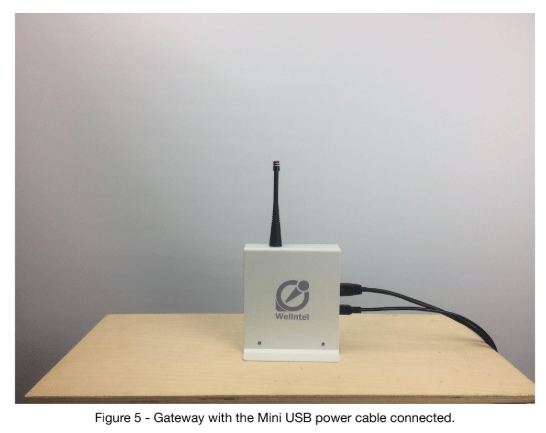
3) You will observe the green LED flash at various rates for 30 seconds, then finally go solid. Once the LED goes solid, you can release the reset button (Figure 4). Unplug the gateway Mini USB power cable once more, then plug it back in again.
4) After completing the procedure, you can confirm that the gateway has successfully
reconnected with the network on the system dashboard “Recent Telemetry” log, located about halfway down the system page. If the gateway has reconnected with the server, you will see a new message appear at the top after clicking refresh.
If you have questions or need help with the procedure, email techsupport@wellntel.com or call 844-935-5426 between the hours of 8-5pm Central Time, Monday through Friday. If you reach us after hours, we will promptly respond the next weekday morning.


